Answer
How to switch payment processors
Quick answer
To switch payment processors, open and verify the new account first, run both side by side, move payment links, invoices and checkout over one channel at a time, migrate saved cards or re-collect them at renewal, update webhooks and integrations, then close the old account once disputes and refunds are settled.
Updated October 2026. Evergreen page — refreshed in place as facts change.
- Open and verify
- Same day
- Most complete Anytime Capital applications
- Running both
- A few weeks
- Old and new providers side by side
- First channels
- An afternoon
- Links and invoices, with our team's help
- Keep the old account
- 120+ days
- Chargebacks can still arrive
- Reports to download
- 12 months
- Transactions and payouts, for your books
- Saved cards
- PCI to PCI
- Provider to provider, never via a spreadsheet
- Tax forms
- Two 1099-Ks
- Possible for the year you switch
- Leaving fees
- Check first
- Merchant accounts may charge to terminate
Knowing how to switch payment processors is mostly knowing the order. The new account is the easy part; the work is making sure every link, saved card, integration, refund and open dispute lands somewhere. Done in the right sequence, a switch costs a few hours of work and no lost sales. This guide is that sequence, with what to gather first, how to handle saved cards, and what to keep after you leave.
Payment methods on this page





When is switching worth it?
Switching is worth the effort when the difference is real and recurring: an effective rate that keeps creeping up, monthly plan fees for features you do not use, payouts that are slow or keep being held, instant-payout fees you pay every week, or missing features you are paying someone else for.
Put a number on it first. Take last month's card volume and average sale, run them through a fee calculator for your current provider and the one you are considering, and add any monthly, payout and dispute fees each one charges.
The switch, in order
- 1
Open and verify
Get the new account approved before you change anything.
Day 1 - 2
Run both
New sales on the new provider; old ones finish where they began.
A few weeks - 3
Move channels
Links and invoices first, then checkout and in person.
One by one - 4
Move subscriptions
Migrate cards PCI to PCI, or re-collect them at renewal.
Last - 5
Close the old
Once refunds, disputes and reserves are done.
Months later
What should you gather before you switch?
A short inventory tells you how long the switch will take. A business with payment links and invoices only can move in a day; one with hundreds of subscriptions, a website checkout and an accounting integration should plan in weeks. Pull these together before you open the new account:
- Twelve months of statements, for your real volume, average sale and effective rate
- Every place you take payments: links, invoices, website checkout, in person, subscriptions, API
- Every tool that reads payment data: accounting, CRM, booking, inventory, and any webhooks
- Your subscriptions, with each customer's next renewal date
- Your contract: term, notice period, early-termination fee and any terminal lease
- Any reserve the old provider holds, and when it is due to be released
- Your current statement descriptor, so customers keep recognising the charge
Step 1: open and verify the new account first
Do not cancel anything yet. Open the new account and complete verification before you change a single link, because verification is the step most likely to take time. Have your EIN, formation documents, ID for each owner of 25% or more and your bank details ready.
At Anytime Capital, creating a business account takes a couple of minutes, and most applications with complete documents are approved the same day.
Step 2: move one channel at a time
Run the two providers side by side for a few weeks and move the lowest-risk channels first. New payment links and invoices are the easiest place to start, because nothing breaks for an existing customer when you send the next one from the new provider.
Our US business team helps move payment links, invoices and customer records from your old processor, so the first channels can move in an afternoon.
- New payment links and invoices
- The checkout or pay button on your website
- In-person payments at the counter or on site
- API integrations and webhooks, flow by flow
- Subscriptions last, as each customer renews
Step 3: saved cards and subscriptions
Saved cards are the hard part, because only a PCI-compliant provider may hold them. Some providers will export saved card data directly to another PCI-compliant processor on request; Stripe, for example, documents a process for this. It only works if the receiving provider can import it, so ask any new provider, Anytime Capital included, exactly what it can import before you plan around it.
If saved cards cannot move, let existing subscriptions run on the old provider until each renewal, then send customers a link to enter a card with the new one. Never export card numbers to yourself or a spreadsheet: it puts the business in full PCI scope.
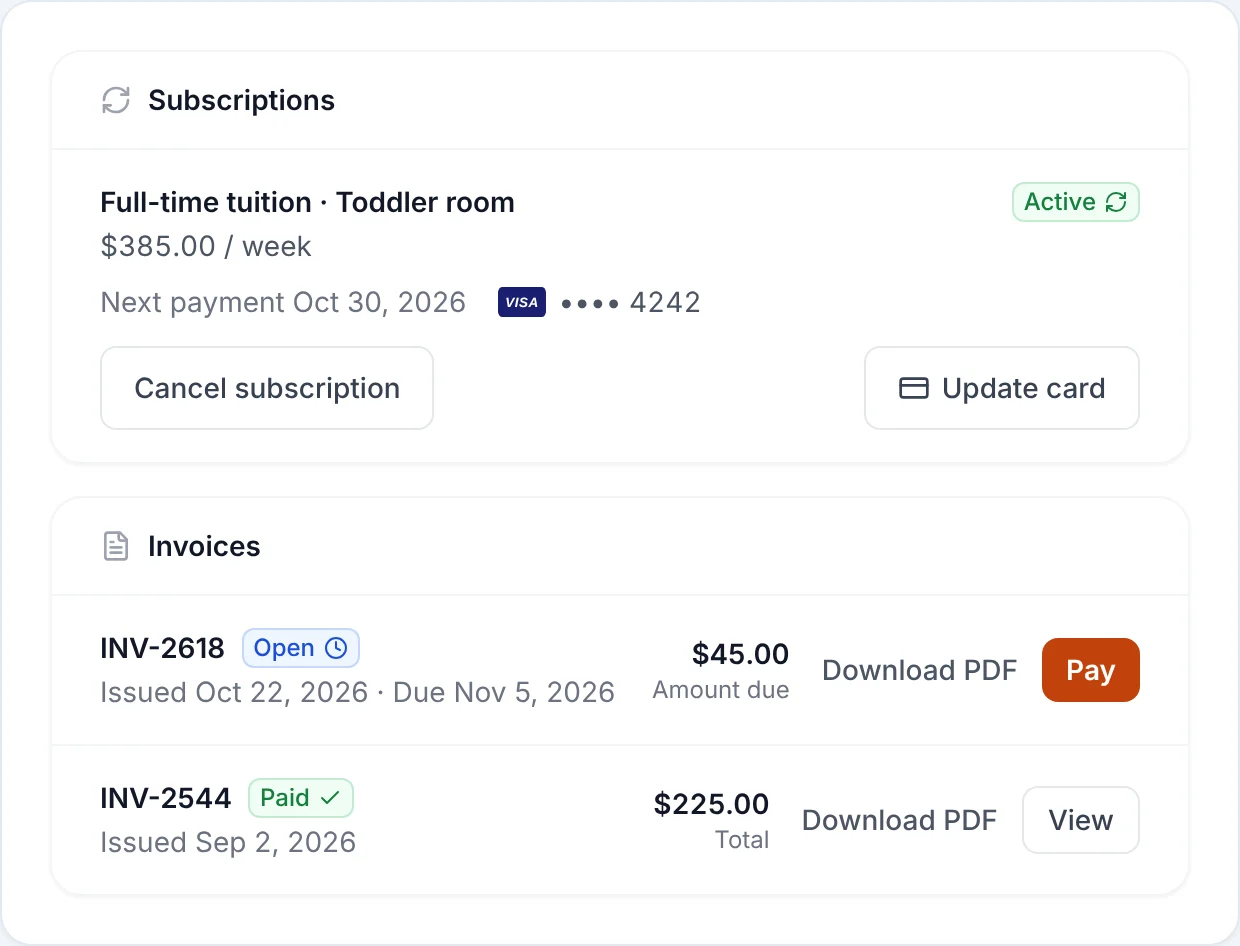
Plan the re-collection rather than leaving it to chance. Email each subscriber a week or two before their renewal with a link to their billing page, explain why, and keep the old subscription running until the new card is in place, so no renewal is missed. The tokens your old provider issued cannot be reused anywhere else, so a customer who ignores the email simply stays on the old provider until they act or the old account closes.
Step 4: integrations, webhooks and the customer-facing details
Point each webhook, accounting integration and internal tool at the new provider as you move the flow it belongs to, and test with small live payments. Anytime Capital Payments has a REST API for payment links, invoices and customers, signed webhooks for every change, and an MCP endpoint for AI tools.
Then fix what customers see. Replace old links in email templates, QR codes and your website, put your logo and colour on the new checkout and receipts, and tell regular customers if the name on their card statement will change, because an unrecognised descriptor is one of the most common reasons for chargebacks.
Step 5: close the old account carefully
Keep the old account open, with no new sales, until refunds and disputes have run their course. Chargebacks can arrive months after a sale, commonly up to 120 days, and the old provider needs a way to debit or credit you when they do.
Before you close it, download a full year of transaction and payout reports for your bookkeeping and taxes, withdraw the remaining balance, and confirm when any reserve the provider holds will be released.
Why the old account stays open
- Final payout1–3 business days
- Last renewalsOne billing cycle
- ChargebacksCommonly up to 120 days
- Reserve releaseOften 90–180 days
Refunds, disputes and bookkeeping for old payments
A payment can only be refunded through the provider that took it, back onto the same card, so keep refund access on the old account until your refund window has closed and tell your team which dashboard to use for which sales. Disputes work the same way: they arrive at the old provider and have to be answered there, with the evidence you kept.
In your accounting software, mark the cutover date, map the new provider's payouts to their own clearing account, and check each month that every provider's sales, fees and refunds add up to the payouts it sent. If your bookkeeper works from bank feeds or imported files, set up the new provider's export before its first payout lands, so the first week reconciles like every other.
How do you avoid lost sales during the switch?
Most problems in a switch show up as declines or missed renewals in the first two weeks, not as a single outage. A few habits catch them early:
- Test every channel with a small live payment, then refund it, before customers see it
- Switch the website checkout at a quiet time, not during a launch, a sale or a holiday weekend
- Keep the old checkout working but unpublished for a week as a fallback
- Tell regular customers if the name on their card statement will change
- Watch declines, failed renewals and payout amounts daily for the first two weeks
Frequently Asked Questions
How long does it take to switch payment processors?
Opening and verifying the new account can take a day or less. Moving links, invoices and checkout usually takes days to a couple of weeks, and subscriptions move as customers renew. Keep the old account open for a few months afterwards for refunds and disputes.
Will I lose my customers' saved cards?
Not necessarily. Some providers export saved card data to another PCI-compliant processor on request, if the new provider can import it. If it cannot, customers re-enter a card the next time they pay, which you can prompt with a link at renewal.
Can I use two payment processors at the same time?
Yes, and it is the safest way to switch. Many businesses keep both for a few weeks, sending new links and invoices from the new provider while existing subscriptions and older invoices finish on the old one.
Do I have to pay to cancel my old processor?
Flat-rate providers usually have no contract. Traditional merchant accounts sometimes carry a term and an early-termination fee, and leased card terminals have their own agreements, so read your contract before you cancel.
Will switching processors affect my taxes?
Each provider reports the payments it processed, so you may receive a Form 1099-K from both for the year you switch. Keep both sets of reports for your accountant. This is general information, not tax advice.
Can Anytime Capital help me move?
Yes. Our US business team, reachable by phone, chat and email on every account, helps move payment links, invoices and customer records from your old processor.
Can I refund an old payment through my new processor?
No. A card refund has to go back through the provider that took the original payment, onto the same card. Keep the old account open, with refund access, until your refund policy window has passed, and use it for any refund or dispute on payments it processed.
Do I need to tell customers I switched processors?
Not formally, but it helps in two cases. Tell subscribers if they need to enter their card again, and tell regular customers if the name on their statement will change, since an unrecognised charge is a common reason for chargebacks. New payment links and invoices need no announcement.
Keep reading
Important Disclosures
- Third-party fees and product details cited on this page are each company's published US pricing, or industry-typical ranges, as of the date shown and may have changed. Check current pricing with the provider before you decide.
- Information on this page is general and educational — it is not financial, legal, or tax advice.
- Anytime Capital is a fintech company, not a bank. Payment processing, banking and payout services are provided by Anytime Capital's licensed partners. Rates shown are for US card payments; international cards, currency conversion and disputes may carry additional fees shown in your dashboard before you accept a payment.